Shopify
Does your D2C brand need a custom Shopify storefront?
By Gara ·
A custom Shopify storefront makes sense when your current theme cannot support the way your brand needs to look, merchandise products, or help customers shop. If a ready-made theme already meets those needs, a few focused changes may be enough.
What does custom actually mean?
Custom can mean adapting an existing Shopify theme, or designing and developing a new theme around your brand. A theme uses Shopify's Liquid templating language and can include editable sections and blocks, so your team can update content inside Shopify.
Neither option automatically means headless. A headless storefront has a separately built front end connected to Shopify through APIs. It is a different approach, not a requirement for a distinctive store.
When a custom storefront is worth considering
Start with what shoppers or your team cannot do today. These are practical reasons to consider custom design and development:
- Your brand needs layouts and visual details that the theme's available settings cannot deliver.
- Products need a different presentation, such as fit guidance, material details, or clearer choices between variants.
- Collection navigation makes it difficult for shoppers to find the right products.
- Your team relies on repeated workarounds to publish new collections or update pages.
When a ready-made theme is enough
If your catalog is straightforward and the theme supports your layouts and merchandising, you may not need a full rebuild. Shopify's theme editor lets you change settings and arrange content, and code-level changes can address gaps that the editor does not cover.
A store can also struggle because of unclear product information, slow media, or confusing navigation. Those issues deserve attention whether the theme is custom or ready-made. A redesign by itself does not guarantee more sales.
The catalog matters as much as the layout
Before designing new pages, look at how products, variants, and collections are organized. A beautiful layout cannot compensate for confusing listings or missing product details.
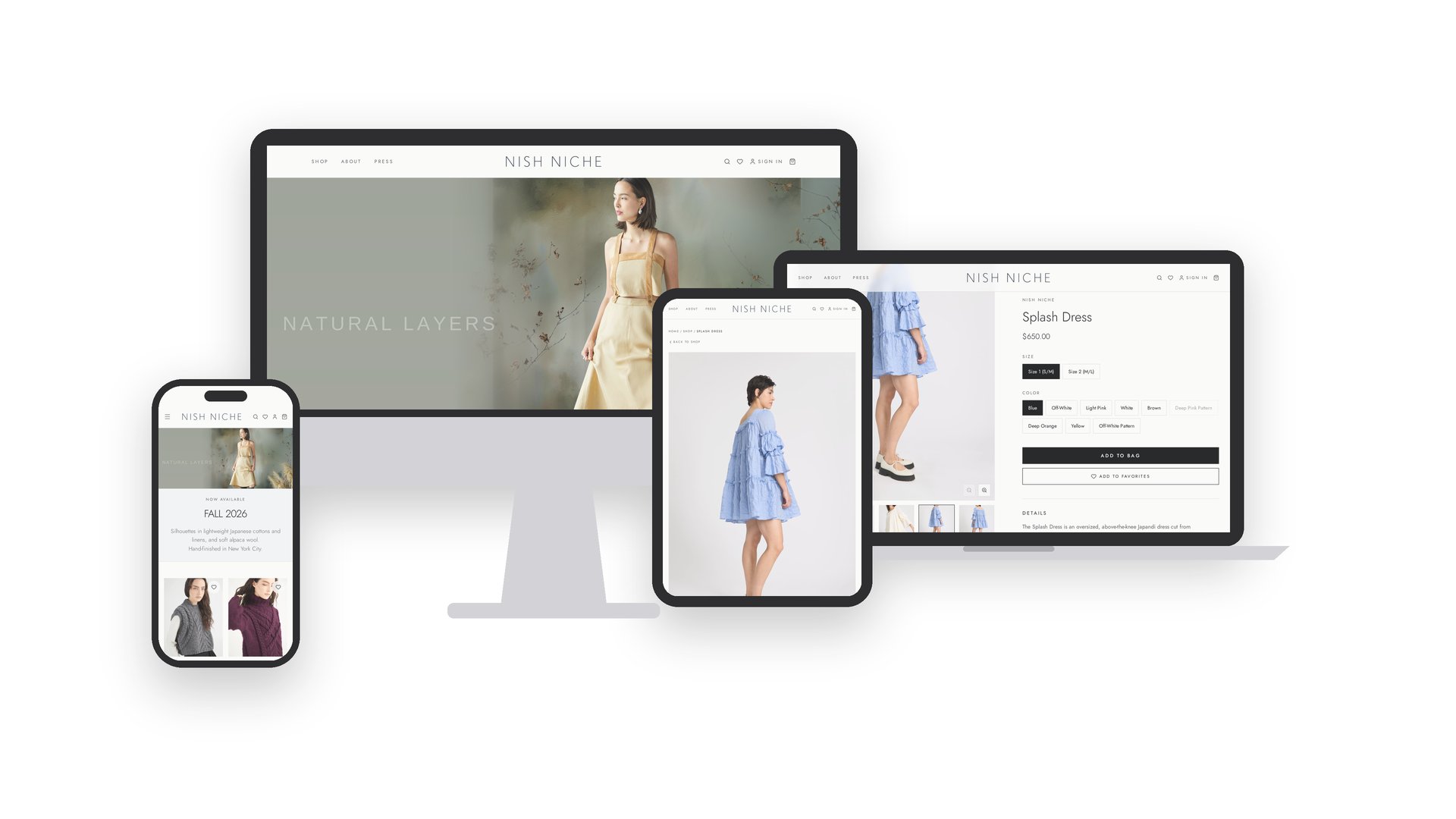
For Nish Niche, an NYC atelier, Gara began with the brand guide, designed the storefront, and cleaned the Shopify back end. Color variants previously listed as separate products were merged into single listings. The work also included title tags and meta descriptions across the catalog, alongside email marketing and Meta ads.
That is the useful connection: brand design, product structure, and marketing should support the same shopping experience.
Do you need headless? Usually, not as the starting point
Check whether a Shopify theme and suitable apps can meet the requirements first. Shopify recommends considering headless when themes, apps, or other sales channels cannot accommodate the business need.
Headless adds development complexity and ongoing maintenance. Gara recommends it only when a theme cannot do the job, not simply because a brand wants a custom look.
What to prepare before booking a call
Bring your current store URL, examples of what is not working, and the product or collection pages you want to improve. It helps to know which apps and integrations you rely on, who will edit the store, and your intended launch timing.
The first decision is not which technology to use. It is what your customers and team need the storefront to do, and whether the current theme can get there.